It was the second week of Ramadan. A clothing brand in Mirpur had its biggest campaign live. At 11 pm, the owner got a notification: “Your ad account has been disabled.” Sales stopped by morning.
A Facebook ad account disabled message is one of the most stressful moments for any online business in Bangladesh. The good news: many restrictions can be fixed through the proper review process. The better news: most of them can be prevented. This guide shows you both.
Restricted, disabled or rejected: know the difference
- Ad rejected: one ad broke a rule. Edit it or request a review. Your account is fine.
- Ad account restricted or disabled: the whole ad account cannot run ads.
- Personal profile restricted from advertising: your own profile cannot manage ads, even on other accounts.
- Business portfolio restricted: the whole Business Manager has limits.
Open Account Quality in Meta Business Suite. It shows exactly which asset is restricted and why. Start there, not with panic.
Why ad accounts get disabled
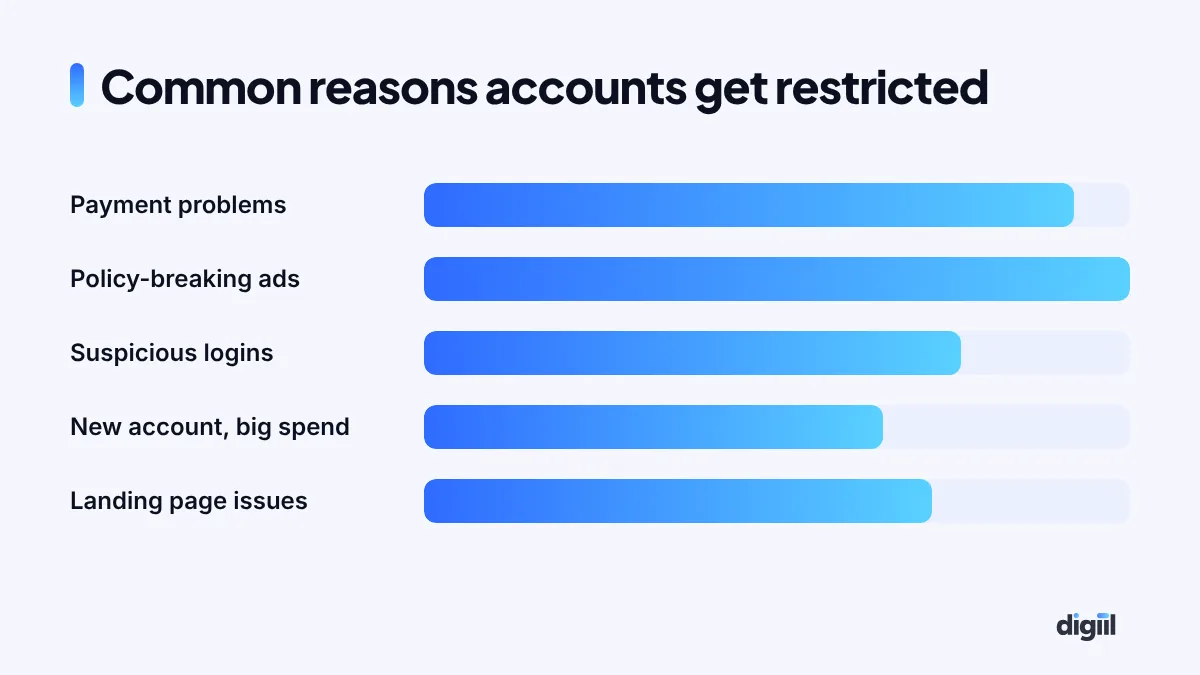
Payment problems
Failed card payments, chargebacks, or a card used on many accounts can trigger restrictions. This is common in Bangladesh, where card limits and dual currency cards can cause failed charges. Our payment guide covers safer options, including the newer bKash payment option.
Ads or pages that break the rules
Health claims, weight loss before-and-after photos, fake urgency, adult content, misleading prices or copied brand content can all lead to restrictions. Repeated rejected ads add up.
Suspicious login activity
Logging in from many devices and countries, using shared logins, or a hacked profile can make Meta lock things down.
Risky patterns
A brand new account that suddenly spends a lot, changes payment methods often, or runs very aggressive ads can look like a scammer to Meta’s systems.
Landing page problems
Broken pages, pages that do not match the ad, or sites with poor user experience can also cause trouble.
How to request a review, step by step
- Stay calm and do not create new accounts. Making new accounts to get around a restriction can make things much worse.
- Open Account Quality and click the restricted asset.
- Read the reason carefully. Fix the cause first: remove problem ads, update the landing page, clear unpaid balances.
- Click Request review and follow the steps. Meta may ask you to verify your identity with an ID or a selfie video.
- Write a short, honest explanation if there is a text box. Explain what your business does and what you fixed.
- Wait. Check your email and Business Suite notifications. Do not submit the same request again and again.
If the review fails
Sometimes the decision stays. Then:
- Check if you can contact Meta support through Business Help Center chat, which is sometimes available to active advertisers.
- If you work with an agency, ask them to escalate through their partner channels where available.
- Keep your page, catalog and pixel safe. Your data is valuable even if one ad account is lost.
- Learn the cause, so the next account stays healthy.
How to keep your ad account safe
Secure every login
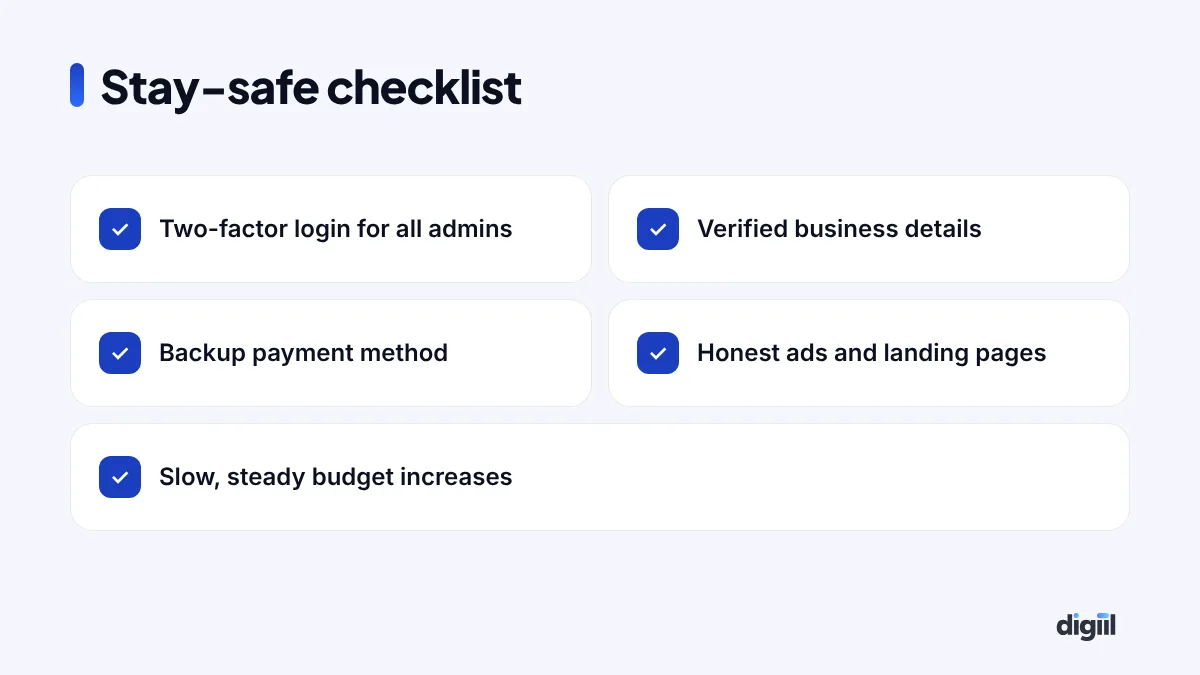
Turn on two-factor authentication for every admin. Remove old employees and freelancers who no longer need access. Never share passwords; give people their own access in Business Manager.
Verify your business
Complete business verification with your trade licence and matching name, address and phone. It shows Meta you are a real company.
Keep payments clean
Use one reliable payment method per account, add a backup, and pay balances on time. Avoid using the same card on many unrelated accounts.
Write honest ads
No fake discounts, no impossible results, no “doctor recommended” without proof. Match your landing page to your ad. Read Meta’s Advertising Standards once; it saves months of pain.
Grow spend gradually
New accounts should start with modest budgets and grow step by step. Big jumps on day one look risky.
A simple recovery plan for your business
| Situation | What to do now |
|---|---|
| One ad rejected | Edit or request review for that ad |
| Ad account restricted | Fix the cause, request review in Account Quality |
| Profile restricted | Verify identity, request review, add a second trusted admin |
| Page hacked | Use Meta’s hacked account tools, secure all logins |
| Review failed | Escalate through official support, protect other assets |
Understanding Account Quality in simple words
Account Quality is a page inside Meta Business Suite that shows the health of everything you manage: ad accounts, pages, your profile, catalogs and more. Each item shows a status:
- No issues: everything is fine.
- Ads rejected: some ads broke a policy. Fix or appeal them.
- Restricted: the asset has limits, often with a reason and a “Request review” option.
- Disabled: the asset cannot be used, sometimes permanently after a failed review.
Make it a habit to open Account Quality once a week, even when nothing seems wrong. Small warnings often appear before bigger restrictions.
Writing a review request that makes sense
When Meta gives you a text box, keep it short, polite and factual. Do not write angry paragraphs or threats. A simple structure works:
- Who you are: “We are a registered clothing business in Dhaka, selling through our page and website.”
- What happened: “Our card payment failed twice because of a bank limit.”
- What you fixed: “We cleared the balance, added a new verified payment method and removed two ads that used exaggerated claims.”
- What you ask: “We request a review so we can continue advertising within the rules.”
Attach documents only when asked, such as your trade licence for business verification or an ID for identity checks.
Policy topics that cause most problems in Bangladesh
| Topic | What gets ads rejected | Safer approach |
|---|---|---|
| Beauty and weight loss | Before-and-after photos, “lose 10 kg in 7 days” | Show the product, ingredients, real usage, no body shaming |
| Health products | Cure claims, “doctor approved” without proof | Factual descriptions, registered products only |
| Money and income | “Earn Tk 50,000 from home”, guaranteed returns | Clear, realistic offers |
| Personal attributes | “Are you diabetic?”, “Feeling overweight?” | Talk about the product, not the person’s condition |
| Copyright and brands | Fake branded items, logos you do not own | Sell genuine products, use your own visuals |
Protect your business beyond one ad account
Many Bangladeshi businesses keep everything in one personal profile: page, ad account, pixel and catalog. If that one profile is restricted, everything stops. A safer structure:
- Use a Business portfolio (Business Manager) that owns your page, ad accounts, pixel and catalog.
- Give at least two trusted people full admin access, each with their own profile.
- Give agencies and freelancers partner access, never your password.
- Keep a backup list of customers and orders outside Facebook, in your own system.
With this setup, one restricted profile does not take down your whole business.
Spotting hacking and phishing early
Some “disabled account” stories start with a hacked profile. Scammers send messages that look like Meta: “Your page will be deleted in 24 hours, click here to appeal.” The link leads to a fake login page. Signs of a scam:
- Messages from personal profiles or pages with names like “Meta Support Team 2026”.
- Links that do not go to facebook.com or meta.com.
- Requests for your password or two-factor code.
- Pressure to act within hours.
Real Meta notices appear in your Business Suite notifications, Account Quality and the official support inbox. When in doubt, go there directly instead of clicking links.
A monthly account health routine
Ten minutes a month can save you weeks of lost sales. Put this in your calendar:
- Open Account Quality and check every asset.
- Review who has access to your Business portfolio. Remove anyone who no longer needs it.
- Check that every admin still has two-factor authentication on.
- Look at rejected ads from the past month. Note the reasons and avoid repeating them.
- Check payment settings: card expiry dates, spending limits and backup methods.
- Make sure your landing pages still load fast and match your ads.
Businesses that follow a routine like this rarely face sudden, unexplained restrictions. And when something does happen, they know exactly what changed.
What to do while your account is under review
A review can take time. Your business should not stop completely. Keep selling through:
- Organic posts, Reels and Stories on your page.
- WhatsApp messages to past customers who opted in.
- Google Ads or TikTok ads if you already use them.
- Your email list, if you have one.
This is also a reminder not to depend on one channel. Brands with several sources of customers survive restrictions far better.
When to ask for expert help
If a review fails twice, or the whole Business portfolio is restricted, a specialist can help you understand the cause and prepare a better appeal. Be careful of anyone who promises “100% recovery” for a fee; no one can promise that. Our Meta ads team audits account health before scaling any client.
How the Mirpur brand recovered
The brand’s account was disabled because of repeated failed payments on an old card, plus two rejected ads with exaggerated claims. They paid the balance, added a working payment method, removed the problem ads and requested a review with a short explanation. The account was back in three days. Since then, they use two-factor login for all admins, a backup payment method and a simple ad checklist before every campaign.
A disabled Facebook ad account is serious, but it is not always the end. Fix the cause, use the official review process, and build safe habits. If you want experts to manage your ads and account health, see our Meta ads service.
- Check Account Quality first to see what is restricted and why.
- Fix the cause before requesting a review.
- Never create new accounts to get around a restriction.
- Protect logins with two-factor authentication and verify your business.
- Keep payments clean and ads honest.
Your questions, answered
Why was my Facebook ad account disabled?
Common causes are payment failures, ads or pages that break advertising standards, suspicious login activity, or patterns that look risky, such as a new account spending a lot very fast.
How do I appeal a disabled ad account?
Go to Account Quality in Meta Business Suite, open the restriction, and click Request review. Follow the steps, verify your identity if asked, and give a short, honest explanation.
How long does a Facebook ad account review take?
Some reviews finish within hours, others take days. Avoid sending many repeat requests, and do not create new accounts to get around a restriction.
Can someone in Bangladesh unban my ad account for a fee?
Be careful. People who promise guaranteed unbans often ask for logins or money and cannot deliver. Use the official review process and Meta support channels.

Amanat has managed $4M+ in Google and Meta ad spend for brands in the UK, USA, Australia and Bangladesh since 2020. He holds 20+ certifications, including Digital Marketing Strategy from Harvard Business School Online. More about Amanat