It was two days before Eid. Nusrat had 60 new kurti designs ready, her best Reels were live, and her budget was set. Then the message came: “Your payment failed. Your ads are paused.” Her bank card had hit its international limit. By the time she fixed it, the biggest shopping weekend of the year was half over.
If you have ever wondered how to pay for Facebook ads in Bangladesh without stress like this, this guide is for you. In 2026 you have more options than ever, including bKash. Below, we explain each method in plain words, what it costs, and how to keep your ads running when it matters most.
The short answer
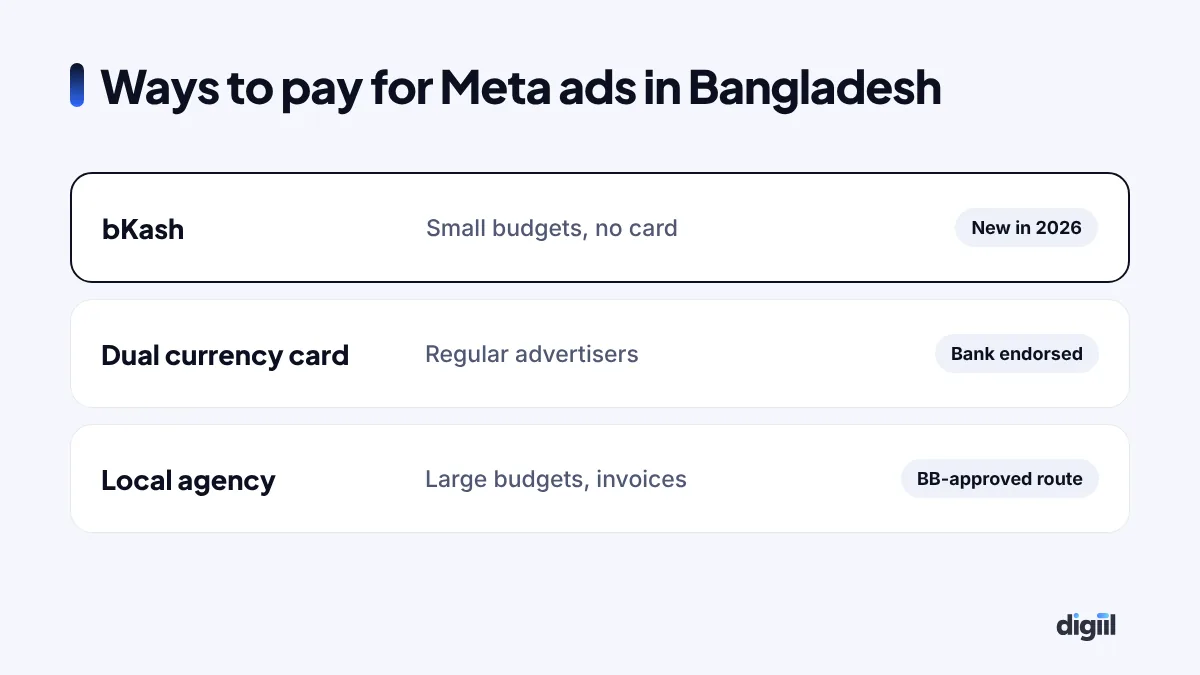
There are three reliable ways to pay for Facebook (Meta) ads from Bangladesh today:
- bKash, added as a payment method inside Meta Ads Manager. Best for small and growing businesses.
- A dual currency or international card from your bank. Best for regular advertisers who want full control.
- A local advertising agency that pays Meta on your behalf. Best for larger budgets and businesses that need proper invoices.
Most serious advertisers keep two of these ready. One is the main method. The other is a backup for the day the first one fails.
Option 1: Pay for Facebook ads with bKash
This is the biggest change in years. In September 2026, Meta and LightCastle Partners announced that businesses in Bangladesh can fund their Meta ad accounts through bKash. According to The Financial Express, it works for ads on Facebook, Instagram and WhatsApp.
Why does this matter so much? The same report notes that Bangladesh has about 3 million credit cards, while bKash has more than 82 million registered users. For years, millions of small sellers simply could not pay Meta directly. Now they can.
How to add bKash in Ads Manager
- Open Meta Ads Manager and go to Billing and payments.
- Choose Add payment method.
- Select bKash if it appears for your account, and follow the steps to confirm.
- Add funds to your ad account balance, then launch your campaign.
Meta rolls out payment options gradually, so the exact screens can differ by account. If you do not see bKash yet, check that your ad account country and currency are set to Bangladesh and BDT, and try again later.
Option 2: Use a dual currency or international card
Before bKash, this was the standard route. Many Bangladeshi banks issue dual currency cards. They work in taka at home and in US dollars online. Meta charges the card automatically as you spend.
What to ask your bank
- Is the card enabled for online international transactions?
- What is the per-transaction and monthly limit for online payments?
- Does the bank need you to endorse dollars against your passport or annual travel quota?
- Which charges will appear on the statement, such as VAT, tax and currency conversion fees?
Most failed payments happen because of limits. Meta sometimes bills in several small charges, and a bank fraud system can block them. A quick call to the bank to whitelist Meta often solves it.
Pros and cons of paying by card
| Pros | Cons |
|---|---|
| Automatic billing, ads never wait for top-ups | Card limits can pause ads at the worst time |
| You own the account and payment fully | Needs a bank that supports online USD payments |
| Works for Meta, Google and TikTok | Exchange rate and bank fees vary |
Option 3: Pay through a local advertising agency
Larger businesses often pay for ads through an agency. The agency runs or funds the ad account and gives you a local invoice in taka.
In June 2025, Bangladesh Bank made this route easier. A circular from its Foreign Exchange Policy Department let local agencies pay foreign media such as Google and Facebook for local advertisers without separate central bank approval, as long as they keep proper agreements, invoices and tax records. The Daily Star reported the details.
When an agency makes sense
- You spend a large amount every month and need clean invoices for your accountant.
- You want experts to run the campaigns, not just pay for them.
- You advertise on several platforms and want one bill.
At Digiil, many clients start this way. We manage their Meta ads, but the ad account always stays in the client’s name. That is important. If you ever leave an agency, you should keep your account, your pixel data and your history.
VAT and tax on Facebook ads in Bangladesh
Many advertisers are surprised by the extra charges on their statement. Here is what is going on.
- 15% VAT applies to digital advertising services bought from Bangladesh.
- 4% advance income tax (AIT) has also been applied to social media ad payments. TBS News reported that local advertisers carry these costs.
So a $100 campaign can cost noticeably more than $100 in taka once VAT, tax, the exchange rate and bank fees are added. Plan your budget with this in mind. Keep your statements and invoices, because your accountant may need them.
Unofficial “dollar sellers”: why we avoid them
Search Facebook and you will find pages selling “ad dollars” or offering to boost your post from their account. It looks cheap and easy. It is also risky.
- Some use shared or stolen cards. When the card owner disputes the charge, Meta can disable the ad account.
- Your ads may run from someone else’s account, so you lose your data, audiences and pixel history.
- You get no proper invoice for your business.
We have seen sellers lose ad accounts that took years to build. With bKash now available, there is little reason to take this risk.
How to stop ad payments from failing
A failed payment pauses every campaign in the account. During a sale, that can cost more than the ads themselves. Use this simple routine.
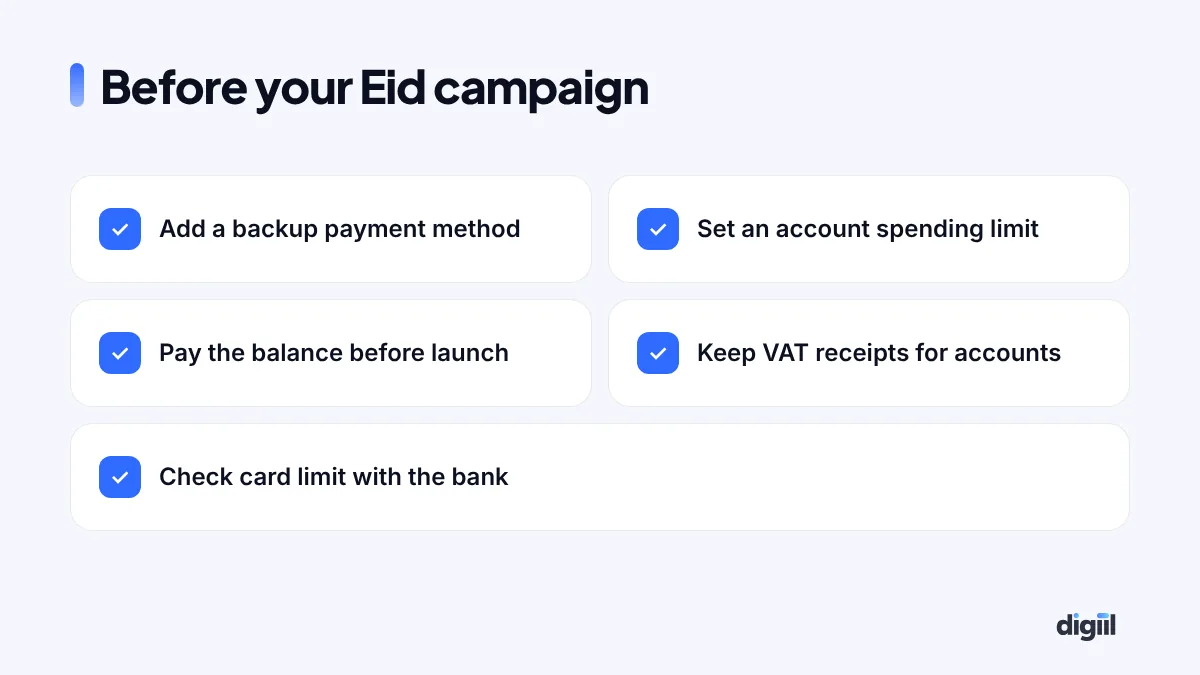
- Add a backup payment method. Keep bKash and a card, or two cards from different banks.
- Set an account spending limit. It protects you from surprise bills and makes budgeting simple.
- Pay any open balance before launch. Do not start a big campaign with money owed.
- Call your bank before big spends. Ask them to allow Meta charges and raise your limit if needed.
- Turn on billing alerts. Meta can email you when a payment fails, so you can act within minutes.
Which payment method should you choose?
| Your situation | Best option |
|---|---|
| Small online shop, no credit card | bKash |
| Growing brand running ads every day | Dual currency card, with bKash as backup |
| Company with a large budget and an accounts team | Registered agency with local invoices |
| You want experts to manage everything | Agency that keeps the account in your name |
Set up your ad account the right way first
Many payment problems start on day one, when the ad account is created in a hurry. A few settings cannot be changed later without opening a new account. Check them before you add any payment method.
Currency and time zone
Your ad account currency decides how Meta bills you. If you plan to use bKash, an account in BDT is the natural choice. If you only use a dollar card, USD also works. Pick one and stick with it, because changing it later means making a new ad account and starting the learning again.
Set the time zone to Asia/Dhaka. Your daily budgets then reset at midnight Bangladesh time, and your reports match your sales data.
Business details
- Use your real business name and address in Business Settings.
- Verify your business in Meta Business Manager if you can. Verified businesses usually face fewer payment and review problems.
- Add at least two admins you trust. If one person loses access, the account is not lost.
- Turn on two-factor authentication for every admin. Hacked accounts are a common cause of surprise charges.
A worked example: what a campaign really costs
Let us walk through a simple example. Imagine you plan a campaign that Meta will report as $100 of ad spend. The final cost in taka depends on four things.
- The exchange rate your bank or wallet uses on the day of the charge.
- VAT at 15% on the digital service.
- Advance income tax of 4% where it applies.
- Bank or card fees, which differ from bank to bank.
Put together, the taka you pay can be around a fifth more than the dollar figure in Ads Manager, before any bank fees. That is why we always tell clients to plan budgets in taka, including taxes, and then convert to a daily budget in Ads Manager. It avoids the shock at the end of the month.
Paying for Instagram, WhatsApp and Messenger ads
You do not need a separate payment method for each Meta app. Instagram, Messenger and click-to-WhatsApp ads all run from the same Meta ad account. Whatever you add in Billing, whether bKash, a card or agency credit, pays for all of them.
This also means one failed payment stops ads on every app at once. Another good reason to keep a backup method ready.
What about Google and TikTok ads?
The same thinking applies to other platforms. Google Ads and TikTok Ads also accept international cards, and agencies can pay for them on your behalf under the same Bangladesh Bank rules. bKash support announced in 2026 is for Meta’s ad platform, so check each platform’s billing page for what is available to your account. If you run ads on several platforms, a single agency invoice can make your accounts much simpler.
Billing threshold: why Meta charges you at odd times
Many new advertisers are surprised when Meta charges their card twice in one week, or for an amount they did not expect. This is the billing threshold at work.
With automatic payments, Meta charges you when your spending reaches a set amount (the threshold) or on your monthly billing date, whichever comes first. New accounts start with a low threshold. As you pay successfully, Meta raises it step by step, so charges become larger and less frequent.
- Low threshold, many charges: normal for a new account. Each charge is a separate card transaction, so make sure your card’s daily international limit is high enough.
- A failed charge pauses everything: if one payment fails, all ads in the account stop until the balance is paid. Keep a backup payment method added.
- Do not change cards mid-campaign unless you must. A brand-new card on an account with an unpaid balance sometimes triggers a review.
You can see your current threshold and next bill date in Billing & payments in Meta Business Suite. Check it before a big sale, because a jump in daily budget can hit the threshold several times in one day.
Keep clean records for your accountant
Ad spend is a business expense, and if you sell through a registered business you should be able to show where every taka went. Meta keeps a receipt for every charge.
- Go to Billing & payments → Payment activity in Meta Business Suite.
- Choose the month, then download the receipts or the full transaction list.
- Save them in one folder with your card or bank statement for the same month.
- If an agency pays for you, ask for their invoice plus Meta’s receipt for your account, so you can see the real ad spend separately from their fee and any VAT.
This also protects you in a dispute. If a payment is charged twice, a receipt and a bank statement side by side settle it in one email.
What Nusrat does now
After that Eid, Nusrat changed three things. She added bKash as a second payment method. She asked her bank to raise her online limit before every sale. And she set calendar reminders to top up her balance a week early. Her next campaign ran for 21 days without a single pause.
Payment is the boring part of advertising, but it is the part that can stop everything. Set it up properly once, and you can focus on what grows sales: good offers, strong creative and clean tracking. If you want help with the rest, our guide to Facebook ads cost in Bangladesh is a good next read.
- In 2026 you can pay for Meta ads with bKash, a dual currency card or a local agency.
- bKash opens Facebook ads to millions of sellers without credit cards.
- Plan for 15% VAT and 4% AIT on top of your ad spend.
- Avoid unofficial dollar sellers. They can cost you your ad account.
- Always keep a backup payment method before big campaigns.
Questions people also ask
Can I pay for Facebook ads with bKash in Bangladesh?
Yes. Since September 2026, businesses in Bangladesh can add bKash as a payment method in Meta Ads Manager and fund ads on Facebook, Instagram and WhatsApp without a foreign currency card.
Which card works for Facebook ads in Bangladesh?
A dual currency or international credit or debit card that your bank has enabled for online payments in US dollars. Many Bangladeshi banks issue them. Ask your bank to enable online international transactions.
Is there VAT on Facebook ads in Bangladesh?
Yes. Digital ads bought from Bangladesh carry 15% VAT, and 4% advance income tax has also been applied to social media ad payments. Your bank or agency usually shows these charges on the statement or invoice.
Why does my Facebook ad payment keep failing?
Common reasons are an international transaction limit on the card, not enough balance, the bank blocking the charge as suspicious, or a mismatch between the card country and the ad account currency. Calling your bank fixes most cases.
Is it safe to buy "Facebook dollars" from a reseller?
It is risky. Unofficial resellers may use shared or stolen cards, and Meta can disable your ad account. Use bKash, your own bank card or a registered agency that gives a proper invoice.

Amanat has managed $4M+ in Google and Meta ad spend for brands in the UK, USA, Australia and Bangladesh since 2020. He holds 20+ certifications, including Digital Marketing Strategy from Harvard Business School Online. More about Amanat