“Bhai, I boosted my post for Tk 2,000 and got 900 likes. But only two orders.” We hear this almost every week. The owner is not doing anything wrong. He just used the wrong tool for the job.
The Facebook boost vs Ads Manager question decides whether your money buys likes or buyers. This guide explains the real difference in plain words, when boosting is fine, and when you should switch to Ads Manager.
What “boost” actually does
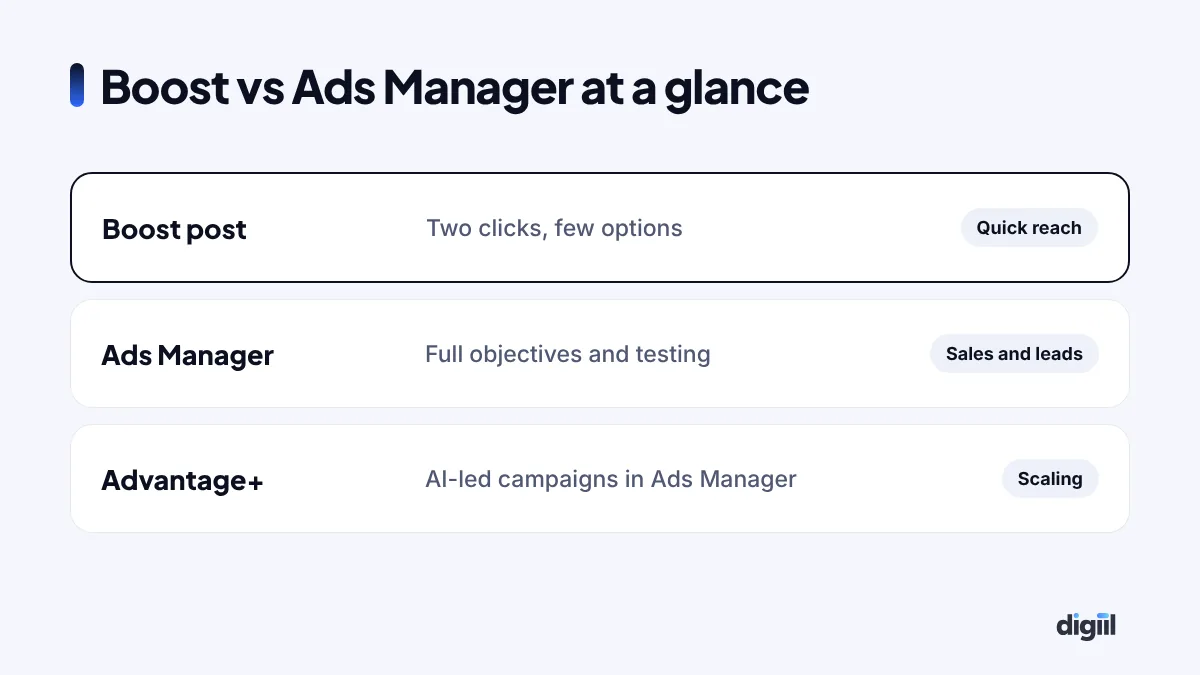
When you click the blue Boost button on your page, Facebook turns that post into a simple ad. You choose a goal, an audience, a budget and a duration. That is it. It is fast and easy, which is why most Bangladeshi pages start here.
But boosting hides most of the controls. You get a few goals, basic targeting and limited placements. You cannot easily test several creatives against each other, and you do not get the full set of sales-focused objectives.
What Ads Manager gives you
Ads Manager is Meta’s full advertising tool. It lets you:
- Choose from all campaign objectives, including Sales and Leads.
- Use your Meta Pixel and Conversions API to optimise for real purchases.
- Test several ads at once and let the system pick winners.
- Build custom audiences, like website visitors or people who messaged you.
- Control placements, schedules and budgets at campaign or ad set level.
- See detailed reports by age, placement, device and creative.
Same auction, different results
Many people think Ads Manager costs more. It does not. Boosted posts and Ads Manager ads enter the same auction. The difference is what you tell Meta to find.
If you boost for engagement, Meta finds people who like and comment. They are often not buyers. If you run a Sales campaign in Ads Manager with good tracking, Meta looks for people likely to buy. That is why the same Tk 2,000 can bring very different results.
When boosting is the right choice
- You want quick reach for an announcement, event or new branch.
- You are testing which organic post people love, before turning it into an ad.
- You want more messages on a simple offer and have no time to set up campaigns.
- Your budget is very small and you just want local awareness.
When you should use Ads Manager
- You want sales on your website or Facebook shop.
- You want qualified leads with lead forms.
- You want retargeting: showing ads to people who visited, watched or messaged.
- You spend regularly and want to lower your cost per result.
- You want to test different images, videos and offers properly.
A side-by-side comparison
| Boost | Ads Manager | |
|---|---|---|
| Setup time | One minute | 10–30 minutes |
| Objectives | Limited | All, including Sales and Leads |
| Creative testing | One post at a time | Many ads, automatic winner |
| Pixel optimisation | Basic | Full, with CAPI |
| Retargeting | Limited | Full custom audiences |
| Reporting | Basic | Detailed breakdowns |
How to switch from Boost to Ads Manager

1. Set up tracking first
If you sell on a website, install the Meta Pixel and Conversions API. Without them, Meta cannot learn who buys. Our guide on fixing ad tracking shows how.
2. Choose the objective that matches your goal
Selling through Messenger or WhatsApp? Use an Engagement or Sales campaign with messaging as the conversion location. Selling on a website? Use Sales. Collecting enquiries? Use Leads.
3. Start broad and let creative do the targeting
Meta’s system is good at finding people when you give it room. Set your country or cities, an age range, and let your ads attract the right people. Avoid stacking many interests.
4. Test three to five creatives
Use your best organic posts plus a few new ideas: a Reel, a carousel, a customer review. Keep the ones with the best cost per result.
5. Add retargeting
Create audiences of people who visited your site, watched your videos or messaged your page. Show them a reminder or an offer.
What about Advantage+ campaigns?
Advantage+ sales campaigns are Meta’s AI-led campaigns inside Ads Manager. They automate targeting and placements and can work very well for online stores with good tracking and enough conversions. They still need strong creative and a clear offer. Start with standard campaigns, learn what works, then test Advantage+.
Common mistakes when people switch
- Choosing Traffic when they want sales.
- Changing the budget or ads every day, which resets learning.
- Using one ad only, so there is nothing to compare.
- Running ads without fixing slow replies in the inbox.
- Paying without a backup payment method. See our guide on paying for Facebook ads in Bangladesh.
Which objective should you choose? A simple guide
The objective is the single most important setting in Ads Manager. It tells Meta what to look for. Here is how most Bangladeshi businesses should choose:
| Your goal | Objective | Conversion location |
|---|---|---|
| Orders in Messenger or WhatsApp | Sales or Engagement | Messaging apps |
| Orders on your website | Sales | Website (with Pixel + CAPI) |
| Enquiries for services | Leads | Instant forms or website |
| Phone calls | Leads or Engagement | Calls |
| More people knowing your brand | Awareness | Not needed |
| Video views for retargeting later | Engagement | Video views |
If you are not sure, ask yourself one question: “What action, if it happened 100 times, would grow my business?” Choose the objective closest to that action.
How much budget do you need in Ads Manager?
You do not need a big budget to start. But you do need enough for Meta to learn. A simple way to think about it:
- Decide what a result is worth to you, for example a confirmed order or a qualified lead.
- Estimate a reasonable cost per result from past boosts or industry experience.
- Give each ad set enough daily budget to get several results per week.
If your budget is small, use fewer ad sets. One campaign, one ad set and three to five ads is often better than five ad sets with tiny budgets each. Our guide on Facebook ads cost in Bangladesh gives budget examples.
Reading your results without getting confused
Ads Manager shows dozens of columns. Most owners only need a few:
- Results and cost per result: the main numbers for your objective.
- Amount spent: including what you will pay in VAT and tax later.
- CTR (link click-through rate): shows if your ad grabs attention.
- Frequency: how many times the same person saw your ad. If it goes above 3–4 in a short time, refresh the creative.
- Hook rate for videos: how many people watched the first few seconds.
Then compare with your real orders. If Ads Manager says 50 conversations but you only confirmed 10 orders, the problem may be your replies, prices or offer, not the ads.
A ready-to-copy starter setup
Here is a simple structure we often use for a small clothing or cosmetics page that sells through Messenger:
- Campaign 1 – New customers: Sales objective, messaging as conversion location, Bangladesh or your delivery cities, age range that fits your buyers, Advantage+ placements, 3–5 Reels and carousels.
- Campaign 2 – Warm audience: people who messaged your page, engaged with your posts or watched 50% of your videos in the last 30 days. Show reviews, offers and “still thinking?” reminders.
- Weekly routine: pause the weakest ad, add one new creative, check cost per confirmed order.
This simple setup beats random boosting for almost every page we have audited.
When boosting still helps inside a bigger plan
Even agencies boost sometimes. For example, when a post suddenly goes viral organically, a quick boost can push it further while it is hot. Or when you want more people to see an important announcement, like a new branch opening or a change in delivery times. The trick is to know why you are boosting, and not to use it as your main sales engine.
Creative that works in Ads Manager
Ads Manager gives you control, but creative still decides most of your results. What we see working for Bangladeshi pages:
- Reels with a real person showing the product in use, filmed on a phone.
- Carousels showing several colours, sizes or a bundle, each card with a price.
- Customer review screenshots turned into a simple image or video, with permission.
- “How to order” videos that explain delivery, payment and returns in 20 seconds.
- Offer images for retargeting, with a clear deadline.
Make three to five versions of each idea with different first lines or first seconds. Let Meta show the winners more. Replace tired ads every two to three weeks, or sooner during big seasons like Eid.
A quick checklist before you press Publish
- Is the objective matched to the result I want?
- Is my Pixel or messaging setup ready to record that result?
- Is my location targeting limited to areas I can deliver to?
- Do I have at least three ads to compare?
- Are prices, delivery charges and payment options clear in the ad or first reply?
- Is someone ready to reply to messages fast?
- Do I have a backup payment method in the ad account?
Seven simple checks. They prevent most of the problems we see when businesses move from boosting to Ads Manager.
Same budget, two results: an example
Here is an example of the same Tk 10,000 spent two ways by a Dhaka clothing page. The numbers are illustrative, but the pattern is what we usually see when businesses move from Boost to a well-set-up Ads Manager campaign.

| Metric | Boosted post (engagement) | Ads Manager (messages or sales) |
|---|---|---|
| Reach | Higher | Lower |
| Likes and reactions | Many | Fewer |
| Messages started | 40 | 110 |
| Confirmed orders | 9 | 31 |
| Cost per order | Tk 1,111 | Tk 323 |
The boosted post “looked” better because it got more likes. The Ads Manager campaign made more money because it was told to find people who message and buy.
Reading your first week of Ads Manager results
New advertisers often panic on day two. Give a campaign about a week, then read these numbers in order.

| Metric | What it tells you | If it looks bad |
|---|---|---|
| Cost per result (message, lead or purchase) | The main number. Is the campaign doing its job? | Check creative and offer before targeting |
| CTR (link click-through rate) | Do people care about the ad? | Try a stronger hook, price or first frame |
| 3-second video views ÷ impressions | Does the video stop the scroll? | Change the first two seconds |
| Frequency | How often the same people see it | Above 3–4 in a week: add new creatives |
| Message-to-order rate | Does the inbox turn chats into sales? | Fix reply speed, price clarity and follow-up |
The last row is not in Ads Manager. Count it from your order sheet. Many “bad campaigns” are really slow or unclear inbox replies. Read our Facebook inbox automation guide to fix that side.
Check the maths before you spend more
Whether you boost or use Ads Manager, the question is the same: does the money come back? Put in your cost per click from past boosts or campaigns, and an honest share of visitors who buy or message to order.
If a boost brought plenty of likes but the calculator shows a loss, that is your signal to move the same budget into an Ads Manager campaign with a sales or messages objective, and judge it on cost per order instead.
What happened to the 900 likes
The same page owner moved his budget to Ads Manager. He ran a messages campaign with three Reels showing the product in use, and a retargeting ad for people who had messaged before. His likes dropped. His orders went up to around 40 in the same month, with the same budget.
Boosting is a good first step. Ads Manager is where real growth happens. If you want a team to set up your campaigns and tracking properly, see our Meta ads service or read how much Facebook ads cost in Bangladesh.
- Boost and Ads Manager use the same auction, but Ads Manager gives you far more control.
- Boosting suits quick reach and simple message goals.
- Use Ads Manager for sales, leads, retargeting and testing.
- Set up Pixel and CAPI before running sales campaigns.
- Ask Meta for the result you really want, not likes.
Questions people also ask
Is boosting a Facebook post a waste of money?
Not always. Boosting is fine for quick reach, event announcements or testing interest. It becomes wasteful when you want sales or leads, because it offers fewer objectives and less control.
Is Ads Manager more expensive than boosting?
No. Both use the same auction. Ads Manager often gives a lower cost per result because you can choose the right objective, placements and creative tests.
Can I boost a post with a sales objective?
Boosting offers limited goals such as engagement, messages, link clicks or calls. For proper sales optimisation with your Pixel and catalog, use Ads Manager.
Do I need a website to use Ads Manager?
No. You can run message, lead form, call and engagement campaigns without a website. A website with tracking opens up sales campaigns.

Amanat has managed $4M+ in Google and Meta ad spend for brands in the UK, USA, Australia and Bangladesh since 2020. He holds 20+ certifications, including Digital Marketing Strategy from Harvard Business School Online. More about Amanat