A software company in Dhaka spent three months building a beautiful service page. It had animations, great photos and a strong offer. It never ranked. The title tag said “Services | Company Name”. The main heading was an image. The words “custom software development” appeared once, in the footer.
That page did not need more backlinks. It needed this on-page SEO checklist. Fifteen simple checks that give every page a fair chance to rank, in Google’s classic results and in AI answers.
Part 1: Match the search
1. One clear topic and intent per page
Decide what search the page should answer and what the searcher wants: to learn, compare or buy. Look at the current top results. Your page type should match. Our keyword research guide explains intent.
2. Answer the main question early
Put the key answer in the first few paragraphs. Readers and AI systems both reward pages that get to the point.
3. Cover the topic completely
Include the sub-questions people also ask: costs, steps, mistakes, comparisons. Use “People also ask” and your customers’ real questions.
Part 2: Titles, headings and URLs
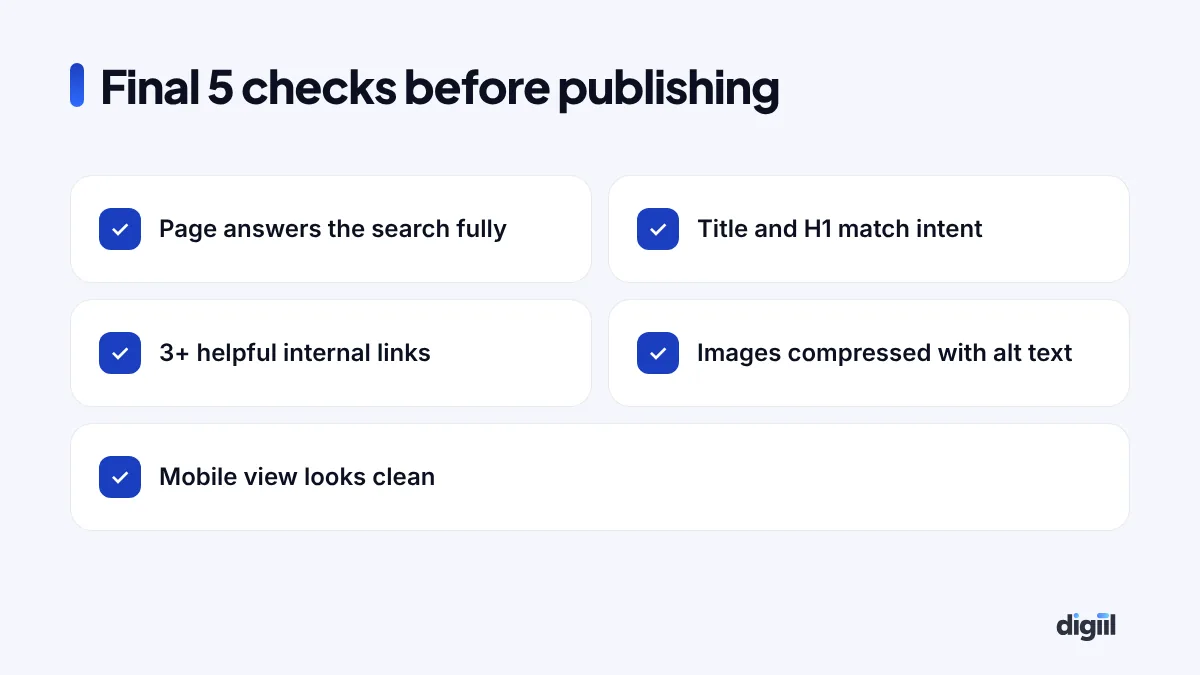
4. Write a strong title tag
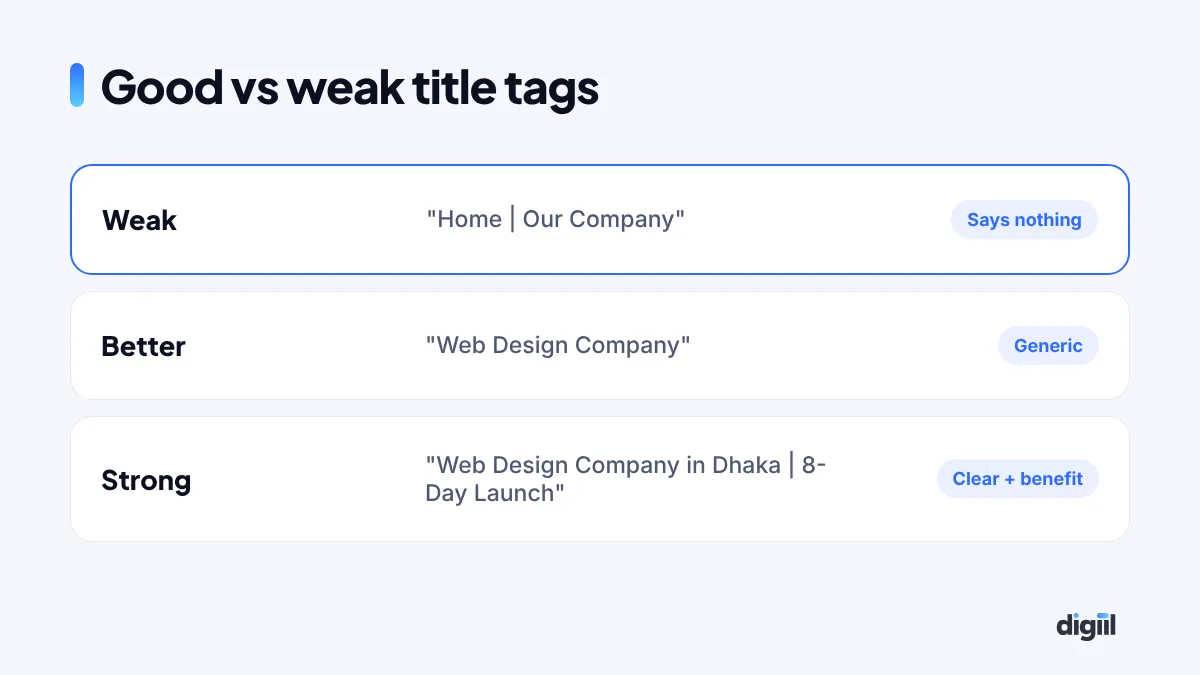
Put the main keyword near the start, add a clear benefit or detail, and keep it roughly under 60 characters so it is not cut off. Every page needs a unique title.
5. Write a meta description that earns the click
It may not directly change rankings, but it affects clicks. Summarise the value in about 150 characters and include a reason to click.
6. Use one H1 and logical H2/H3 headings
The H1 states the page topic. H2s split the main sections. H3s break those down. Headings should be real text, not images.
7. Keep URLs short and readable
/services/web-design/ beats /page?id=123&cat=7. Use lowercase words and hyphens.
Part 3: Content quality and trust
8. Show experience and expertise
Google’s quality guidelines talk about E-E-A-T: experience, expertise, authoritativeness and trust. Show real examples, case studies, photos of your work, author names with credentials and clear contact details.
9. Use facts with sources
When you mention a law, price, statistic or date, make sure it is current and link to a trustworthy source where helpful. Outdated facts hurt trust.
10. Make it easy to read
Short paragraphs, simple words, bullet points, tables where useful and a clear structure. Most visitors in Bangladesh read on phones.
Part 4: Links, media and code
11. Add helpful internal links
Link to related service pages and guides using descriptive anchor text, like “website development cost in Bangladesh“, not “click here”. Also link to the new page from older relevant pages.
12. Optimise images
Compress images, use modern formats like WebP, set width and height, lazy-load below the fold and write alt text that describes the image.
13. Add structured data
Use schema that matches the page: Organization, LocalBusiness, Service, Product, Article, FAQ or Breadcrumb. Plugins like Rank Math help. Test with Google’s Rich Results Test.
Part 5: Experience and readiness
14. Check speed and mobile layout
Test the page on a real phone and with PageSpeed Insights. Fix large images, heavy scripts and layout shifts. Make buttons easy to tap.
15. Make the next step obvious
SEO brings visitors; the page must convert them. Add clear calls to action: call, WhatsApp, form, book a meeting or buy.
On-page SEO for AI search
Google AI Overviews and assistants like ChatGPT increasingly answer questions directly. Pages that get cited usually:
- Answer questions directly in one or two sentences, then explain.
- Use clear headings that match real questions.
- Include specific facts, numbers and examples.
- Show who wrote it and why they are qualified.
- Use clean structured data.
Learn more about answer engine optimisation and generative engine optimisation.
Quick reference table
| Element | Good practice |
|---|---|
| Title | Keyword first, benefit, about 60 characters |
| Meta description | Value + reason to click, about 150 characters |
| H1 | One per page, real text |
| Intro | Answer the main question early |
| Internal links | 3+ relevant, descriptive anchors |
| Images | WebP, compressed, alt text |
| Schema | Matches the page type |
| CTA | Clear and visible on mobile |
Before you hit publish
Example: one page, before and after
Here is how the checklist changed a real service page for a cleaning company in Dhaka:
| Element | Before | After |
|---|---|---|
| Title | Services | CleanCo | Home Cleaning Service in Dhaka | Same-Week Booking |
| H1 | Image banner, no text | Home Cleaning Service in Dhaka |
| Intro | Company history | What is included, areas covered, price from a starting point |
| Proof | None | Before/after photos, reviews, number of homes cleaned |
| Internal links | None | Links to deep cleaning, office cleaning and FAQ pages |
| CTA | Contact page link in footer | WhatsApp and booking buttons on every screen |
No new backlinks were built. Within weeks, the page started appearing for searches it had never shown up for before.
Updating old pages: the forgotten SEO win
Pages lose rankings when information gets old. Every six months, review your most important pages:
- Are prices, dates, laws and screenshots still current?
- Have competitors added sections you are missing?
- Are there new questions customers ask that you can answer?
- Do internal links point to your newest, best pages?
Update the page, change the “updated” date honestly, and request indexing in Search Console. This often brings faster results than publishing something new.
Common on-page SEO myths
- “Repeat the keyword many times.” Overuse makes text worse and does not help. Use it naturally.
- “Longer is always better.” Complete is better. Some answers need 600 words, some 3,000.
- “Meta keywords matter.” Google ignores them.
- “Change titles every week.” Constant changes make it harder to see what works.
- “SEO is only for Google.” The same clarity helps AI assistants, social previews and real readers.
Tools to help you check
- Rank Math or Yoast in WordPress, for titles, descriptions, schema and basic checks.
- Google Search Console, for indexing, queries and page experience.
- PageSpeed Insights, for speed and Core Web Vitals.
- Rich Results Test, for schema.
- Your own phone, for the real mobile experience.
Plugins give helpful hints, but do not chase a green score blindly. A real reader’s experience is the true test.
Title tags and meta descriptions: formulas that work
Your title and description are your ad on Google. They decide whether people click.
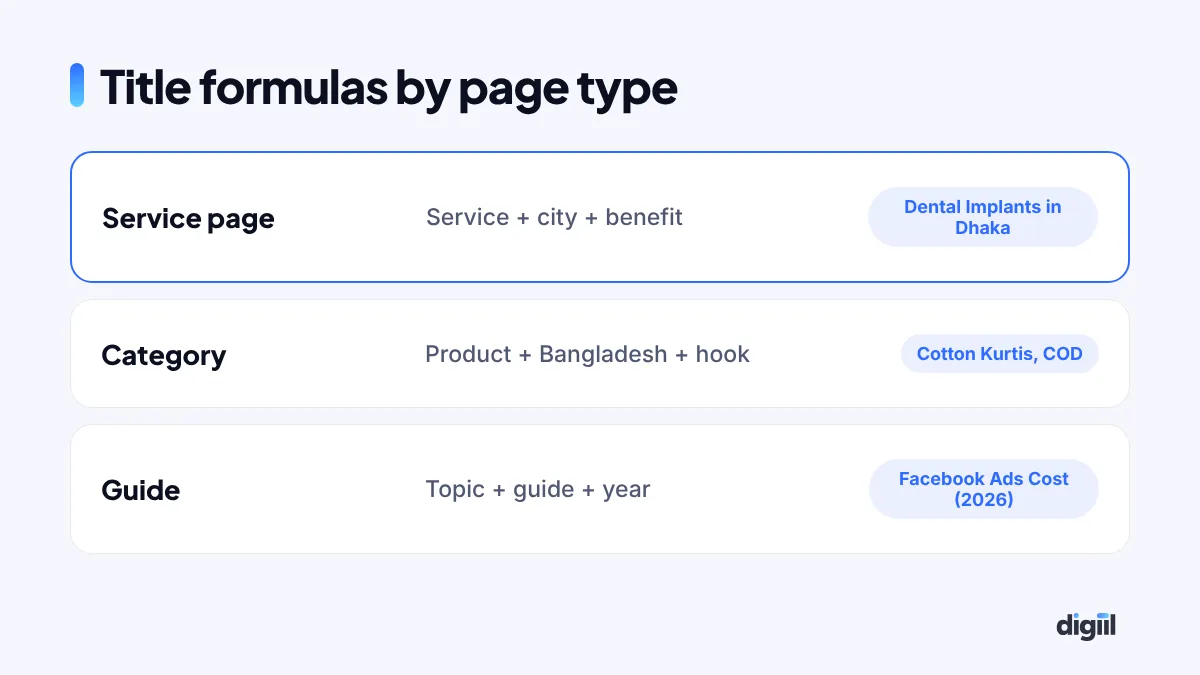
| Page type | Title formula | Example |
|---|---|---|
| Service page | Service + location + benefit | Brand | Dental Implants in Dhaka: Painless, Same-Week | SmileCare |
| Product category | Product + “in Bangladesh” + hook | Brand | Cotton Kurtis in Bangladesh: 200+ Designs, COD | StyleBD |
| Blog guide | Topic + “guide” or number + year | Facebook Ads Cost in Bangladesh (2026 Guide) |
| Comparison | X vs Y + “which is better?” | WooCommerce vs Shopify: Which Is Better in Bangladesh? |
Keep titles around 50–60 characters so they do not get cut. Write meta descriptions of about 140–160 characters that answer “why click?” and include the main keyword naturally.
Score your page: a quick self-audit
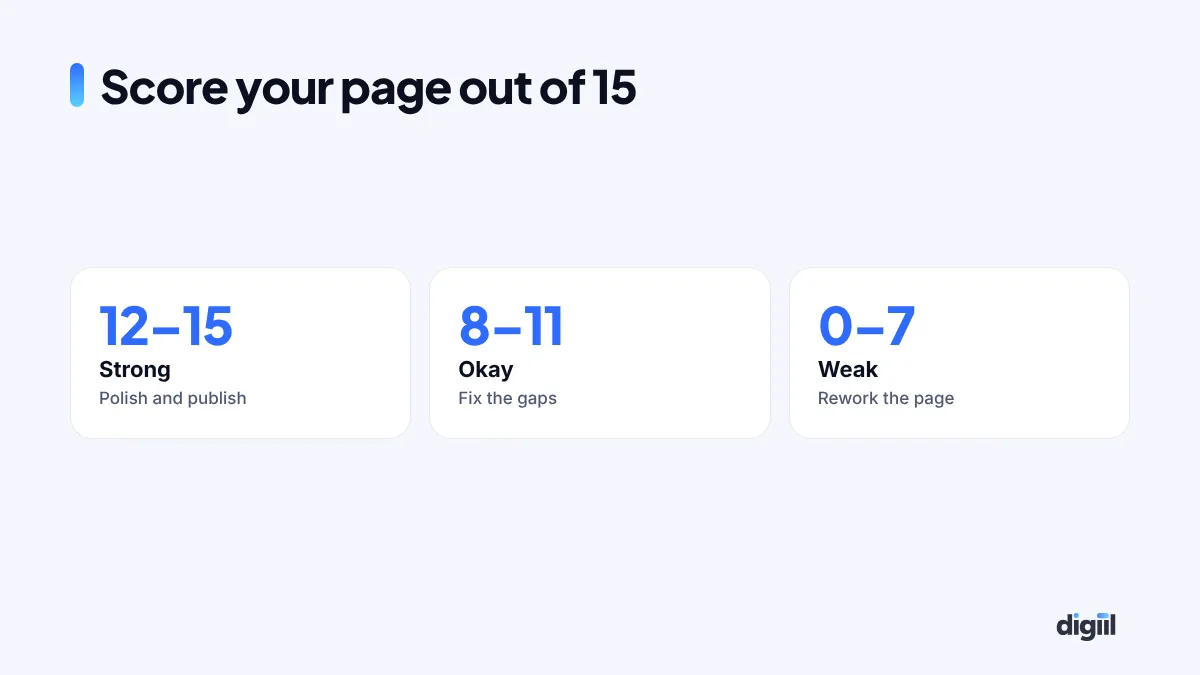
Give one point for each “yes”. 12 or more is strong. Under 8 means real work is needed.
| # | Check |
|---|---|
| 1 | Main keyword in the title, H1 and first paragraph |
| 2 | Title under about 60 characters and compelling |
| 3 | Meta description written by hand |
| 4 | Short, readable URL |
| 5 | One H1, logical H2s and H3s |
| 6 | Answers the search intent in the first screen |
| 7 | Real examples, data or experience |
| 8 | Images compressed, with alt text |
| 9 | At least three internal links |
| 10 | Useful outbound links to trusted sources |
| 11 | Schema markup where relevant (FAQ, product, article) |
| 12 | Loads fast on mobile |
| 13 | Author name and update date shown |
| 14 | Clear next step: button, form or contact |
| 15 | No spelling mistakes or broken links |
Want this checked automatically? Our free SEO audit tool runs 60+ checks on any page in about a minute.
What happened to the software page
We changed the title to “Custom Software Development Company in Bangladesh”, made the H1 real text, added sections on process, pricing factors, case studies and FAQs, linked it from the homepage and blog, and added Service schema. Within a few months, it ranked on the first page for its main keyword and started bringing enquiries from abroad.
On-page SEO is the part of SEO you fully control. Run this checklist on every page you publish and update your most important old pages first. If you want an expert audit, see our technical SEO service.
- Match the page to the search intent and answer early.
- Write unique titles, one H1 and logical headings.
- Show real experience and use current facts.
- Add internal links, optimised images and schema.
- Check mobile speed and make the next step obvious.
Quick answers
What is on-page SEO?
On-page SEO means improving the content and HTML of a page, such as titles, headings, text, images, links and structured data, so search engines and people understand it better.
How long should a page be for SEO?
As long as it needs to fully answer the search. Some topics need 500 words, others 3,000. Thin pages and padded pages both perform poorly.
Do meta keywords still matter?
No. Google ignores the meta keywords tag. Focus on titles, content, headings and links.
Does on-page SEO help with AI search results?
Yes. Clear structure, direct answers, facts with sources and good schema make it easier for Google AI Overviews and AI assistants to understand and cite your page.

Amanat has managed $4M+ in Google and Meta ad spend for brands in the UK, USA, Australia and Bangladesh since 2020. He holds 20+ certifications, including Digital Marketing Strategy from Harvard Business School Online. More about Amanat